
How to Join Morioh High: Step-by-Step Guide (2026)
Learn how to join Morioh High on Roblox in minutes — find the official game page, join a server and start playing the school life Stand simulator today.
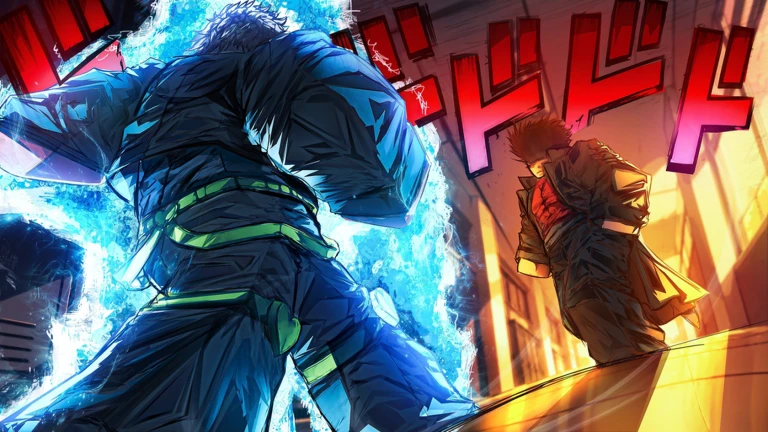
Joining Morioh High takes about two minutes. The game is free on Roblox, and all you need is a Roblox account and the official game page. This guide walks you through every step from creating an account to spawning into the campus for the first time.
Step 1: Create a Roblox account
If you already play Roblox games, skip this step. If not:
- Go to roblox.com or download the Roblox app from your device's app store.
- Click Sign Up and choose a username, password, and birthdate.
- Verify your email if prompted — this unlocks full account features.
- Once logged in, you can play any Roblox experience for free.
Roblox accounts are free and work across PC, mobile, tablet, and console. Your progress in Morioh High syncs automatically across devices.
Step 2: Find the official Morioh High game page
The safest way to find the game is to search directly on Roblox:
- Log in to Roblox and click the Search bar at the top.
- Type Morioh High and press Enter.
- Look for the game by developer Not A Stand Game — this is the verified creator.
- Click the game thumbnail to open the game page.
Always verify the developer name. Fake or copycat games sometimes appear with similar names, and playing the wrong game means wasted time. The official page shows Not A Stand Game as the creator and has a live player count.
Step 3: Click Play and join a server
Once you are on the official game page:
- Click the green Play button.
- Roblox will launch the game in your browser (PC) or open the Roblox app (mobile).
- You will join a public server automatically — each server holds up to 30 players.
- Wait for the game to load, and you will spawn on campus.
If you prefer a specific server, click the Servers tab on the game page to browse available instances and join one manually. Servers with fewer players offer quieter exploration.
Step 4: Create your character
When you first spawn, the game walks you through character creation:
- Choose your appearance — hairstyle, face, and base outfit.
- Pick your starting uniform style — gakuran, blazer, or casual.
- Adjust colors if the option is available.
- Confirm and enter the campus.
Character customization is not permanent — you can revisit the wardrobe later to change your look. But choosing a style you like at the start makes the first impression count.
Step 5: Start exploring
Once you are on campus, the game is yours. Here is what to do first:
| Priority | What to do | Why |
|---|---|---|
| 1 | Walk the campus and interact with activity points | Learn the layout and find NPCs |
| 2 | Attend your first class | Start progression and earn rewards |
| 3 | Talk to NPCs | Build relationships and find quests |
| 4 | Check for active codes | Claim Arrow Shards and reroll rewards |
| 5 | Practice basic combat | Learn attack timing before real fights |
The beginner guide covers your first session in detail, and the how to play guide explains every system step by step.
Common questions about joining
Is Morioh High available on console? Roblox supports Xbox and PlayStation, and Morioh High runs on any device that runs Roblox. Console controls follow Roblox's gamepad conventions.
Can I play on mobile? Yes. The Roblox app on iOS and Android runs Morioh High. Touch controls include a virtual joystick and on-screen ability buttons.
Is there a level or age requirement? Roblox requires users to be 13 or older for full features, but Morioh High does not have its own age gate beyond the platform requirement.
Can I play with friends? Yes. Join the same server by coordinating through the server browser or by using Roblox's friend join feature.
What if the game does not load? Check your internet connection, clear your browser cache (PC), or restart the Roblox app. If the issue persists, check the official Discord for server status updates.
Private servers
Morioh High offers private servers for players who want a quieter campus. Private servers cost Robux (Roblox's premium currency) and let you play without other players joining.
Private servers are useful for:
- Practicing Stand combos without interruption
- Exploring the campus at your own pace
- Hosting small group activities with friends
The main game is fully free, and private servers are optional. Check the private server guide for details.
Join and start your Morioh journey
The game launched on October 2, 2026, and has been growing steadily — over 418,000 visits and 4,500 favorites in the first ten days. The community is active, the developer pushes updates, and the campus is waiting.
For the direct game link, check the Roblox page. For active codes that give Arrow Shards and reroll rewards, check the codes page. And for everything else, the beginner guide is your starting point.
What to do in your first ten minutes
After loading in, resist the urge to chase the rarest Stand immediately. Spend the first ten minutes on three things: walk the campus once to learn the layout, talk to the first few NPCs to trigger the intro dialogue chain, and open the menu to confirm your platform's control scheme. This short tour pays off later, because every system — classes, clubs, relationships and Stand combat — connects back to locations you will already recognize.
The game is free to play and each server holds 30 players. If a server feels crowded, private servers offer the same campus with fewer interruptions. Since launch on October 2, 2026 the game has passed 418,000 visits and 4,500 favorites, so matchmaking stays quick and public servers stay populated at most hours.
Related guides: the beginner guide covers your first week in depth, and the official game page guide helps you avoid copycat listings.
Advertisement
Browse the full wiki hub, or return to the Morioh High wiki home.